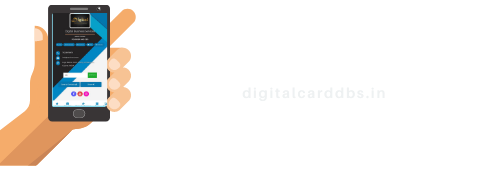

what is the digital business card ?
A digital business card is a modern alternative to the traditional paper business card. It is a virtual representation of your contact information and professional details that can be easily shared and accessed through electronic devices such as smartphones, tablets, laptops, and computers. Digital business cards leverage technology to provide a more interactive and dynamic way of exchanging information compared to their paper counterparts.
Key features of a digital business card often include:
Contact Information:
Like a traditional business card, a digital business card includes your name, job title, company, phone number, email address, and physical address.
Interactive Elements:
Digital business cards can include interactive elements such as clickable links to your website, social media profiles, portfolio, and more. This enables the recipient to directly connect with your online presence.
QR Codes:
Many digital business cards incorporate QR codes, which can be scanned by smartphones to quickly save your contact information to the recipient’s device.
Customizable Design:
You can customize the design of your digital business card, including adding your company logo, choosing fonts and colours, and arranging your information in a visually appealing layout.
Easy Updates:
Unlike paper cards that need to be reprinted every time your information changes, digital business cards can be easily updated to reflect your latest contact details and professional updates.
Environmentally Friendly:
Digital business cards contribute to reducing paper waste and are considered a more sustainable option.
Analytics:
Some digital business card platforms offer analytics that allows you to track how often your card is viewed and which links are clicked, giving you insights into your networking efforts.
Convenient Sharing:
Digital business cards can be shared instantly via email, text messages, messaging apps, or even through platforms like LinkedIn.
Integration with Devices:
Many smartphones and contact management apps have features that allow you to save received digital business cards directly to your device’s contacts.
Digital business cards are particularly useful in today’s digital age where people often rely on their electronic devices for communication and networking. They offer a more interactive and flexible way of sharing and managing contact information, making it easier to connect with others in a professional context.
How to create a digital business card?
Creating a digital business card involves a few steps to design and share your virtual contact information. Here’s a basic guide to help you get started:
Choose a Platform or App:
Select a digital business card platform or app to create and manage your card. Some popular options include LinkedIn, specialized virtual business card apps, or even designing a web page for your card.
Gather Your Information:
Collect all the necessary contact details and professional information you want to include on your digital business card. This typically includes your name, job title, company, phone number, email address, social media profiles, and any other relevant information.
Design Your Card:
Use the design tools provided by the platform or app to create a professional and visually appealing layout for your card. Customize the colour scheme, fonts, and arrangement of elements. You can also upload your company logo and a professional photo of yourself if desired.
Include Interactive Elements:
Take advantage of the digital format by adding interactive elements. Embed clickable links to your website, LinkedIn profile, portfolio, or any other online presence you want to showcase.
QR Code Generation:
If your chosen platform supports QR codes, generate one for your digital business card. This allows others to scan the code with their smartphones to easily save your contact information.
Preview and Edit:
Before finalizing your card, preview it to ensure that all the information is accurate and the design looks as intended. Make any necessary adjustments.
Save and Store:
Once you’re satisfied with the design, save your digital business card within the platform or app. If you’re creating a web page, publish it to a domain or hosting service.
Test Sharing:
Share your digital business card with a friend or family member to test how it appears on different devices and platforms. Ensure that all links are working correctly.
Share Your Card:
Start sharing your digital business card with your professional contacts. You can send it via email, text message, messaging apps, or share it on social media platforms.
Integrate into Networking:
When attending events or networking opportunities, have your digital business card ready to share with new connections. Some platforms even allow you to exchange cards digitally during events.
Regularly Update:
Keep your digital business card up to date. Update your contact information, job title, company details, and any other relevant information as needed.
Consider Privacy and Security:
Be mindful of the information you include on your digital business card. Ensure that the sharing settings and privacy options are set according to your preferences.
Remember that the exact steps may vary depending on the platform or app you choose. It’s important to create a card that reflects your professionalism and personal brand while making it easy for others to connect with you.
where to use digital business card ?
Digital business cards can be used in various professional settings and situations to enhance networking and communication. Here are some places and scenarios where you can effectively use digital business cards:
-
Networking Events
Use your digital business card to exchange contact information with other professionals at conferences, seminars, trade shows, and workshops.
-
Meetings
Share your digital business card during one-on-one meetings or group discussions to ensure everyone has your updated contact details.
-
LinkedIn and Social Media
Share your digital business card on platforms like LinkedIn, Twitter, and Instagram to connect with a wider audience and make it easy for people to find and follow you.
-
Email Signatures
Include a link to your digital business card in your email signature. Recipients can easily access your information and connect with you directly.
-
Virtual Meetings
Share your digital business card during virtual meetings, webinars, and video conferences through the chat or messaging feature.
-
Job Fairs
If you’re attending or representing your company at a job fair, using a digital business card can help you efficiently share information with potential job candidates.
-
Professional Associations and Groups
Share your digital business card with fellow members of professional organizations or groups you’re a part of.
-
Client Meetings
When meeting with clients, use your digital business card to quickly share your information and showcase your online portfolio or website.
-
Sales and Business Development
Use digital business cards to provide potential clients with information about your products, services, and how to reach you.
-
Freelancing and Consulting
: As a freelancer or consultant, a digital business card can showcase your expertise, services, and ways to get in touch.
-
Entrepreneurial Endeavors
If you’re an entrepreneur or startup founder, a digital business card can help you make connections in the business world.
-
Online Workshops and Webinars
When hosting online workshops or webinars, share your digital business card with participants to facilitate networking.
-
Printed Marketing Materials
Incorporate a QR code leading to your digital business card on printed marketing materials, making it easy for people to access more information.
-
Educational Settings
Share your digital business card with classmates, teachers, and guest speakers to foster connections in academic environments.
-
Media and PR Interactions
Use your digital business card when interacting with journalists, bloggers, and media personnel to provide them with your information.
-
Collaboration and Partnerships
Share your digital business card with potential collaborators or partners to establish professional connections. Remember that the effectiveness of using a digital business card depends on your target audience and the context. Make sure to adapt your approach based on the situation and the preferences of the people you’re interacting with.